VOLUNTEERS: How to volunteer for FLL
- Summary (See Step-by-Step Guide below):
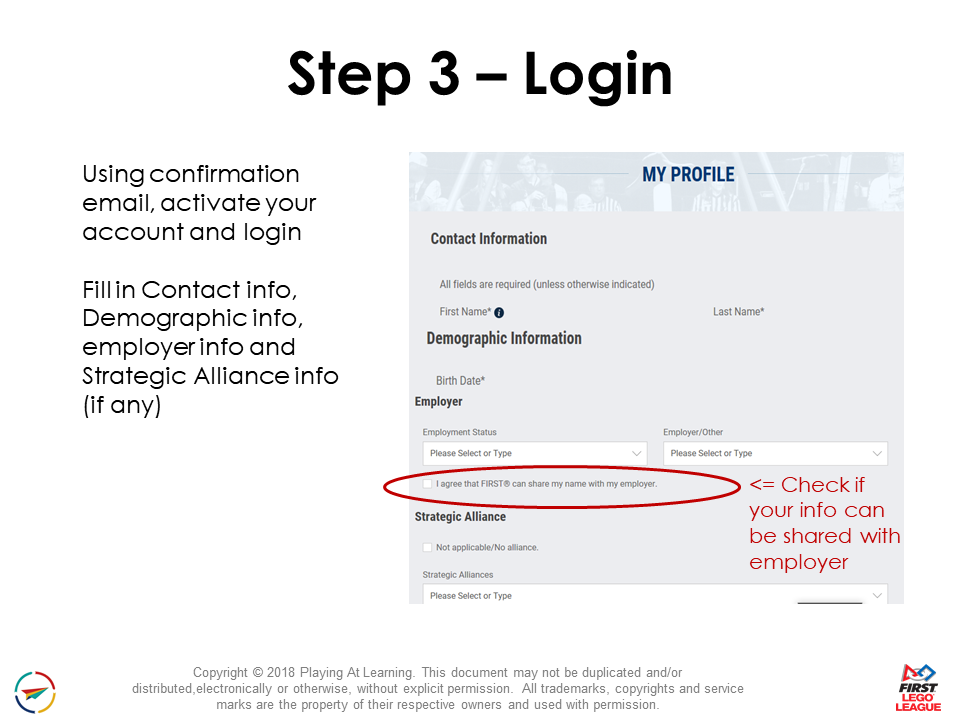
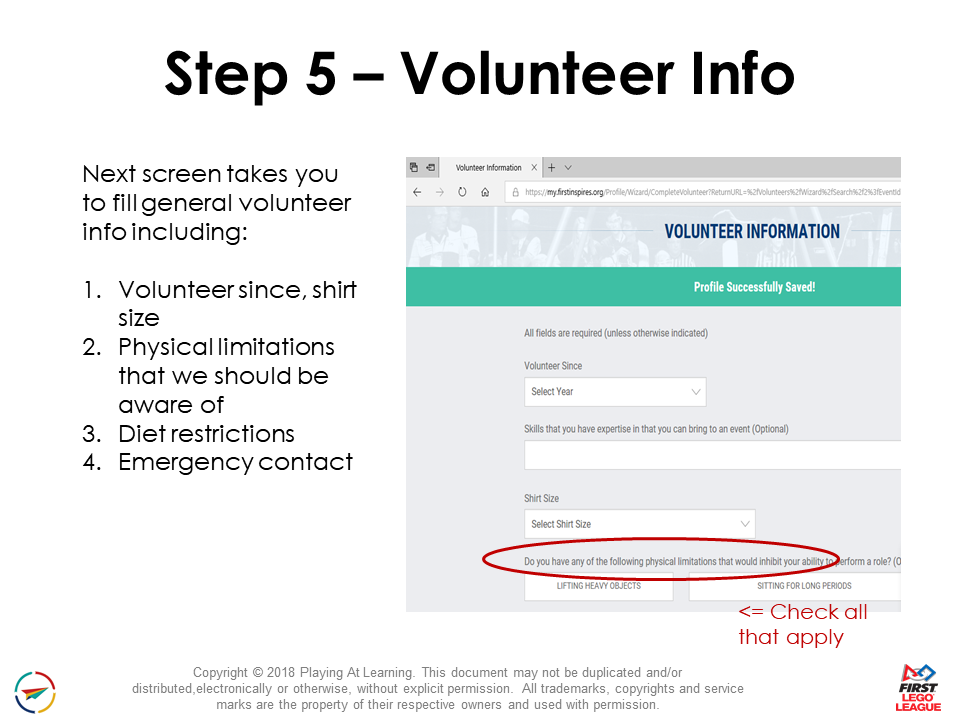
- Create/Update a volunteer profile in the FIRST Dashboard – Additional FIRST Volunteer Resources
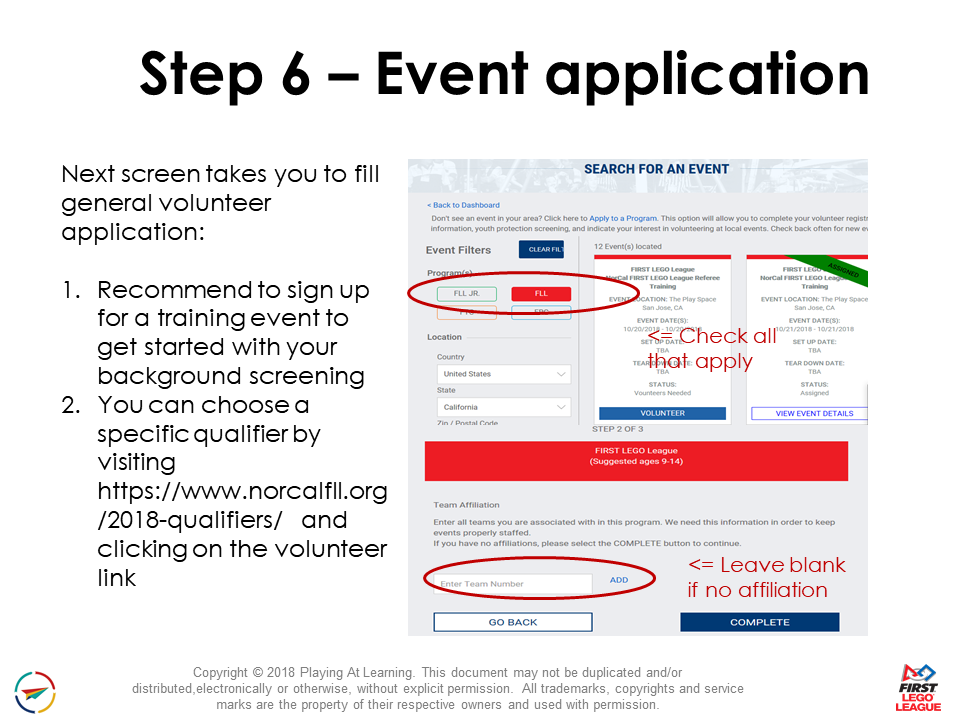
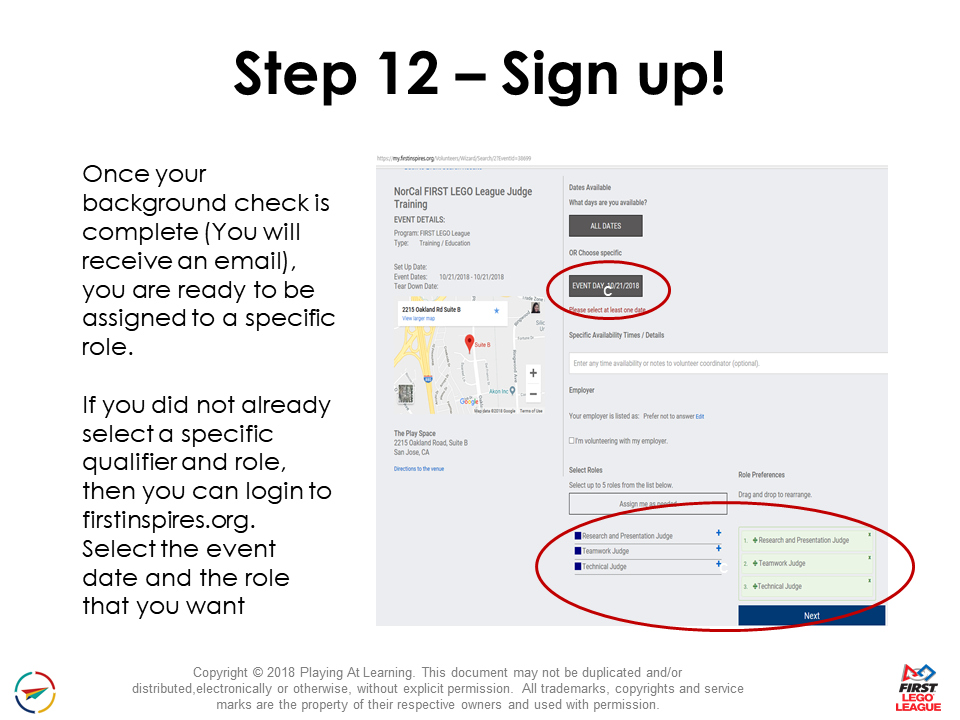
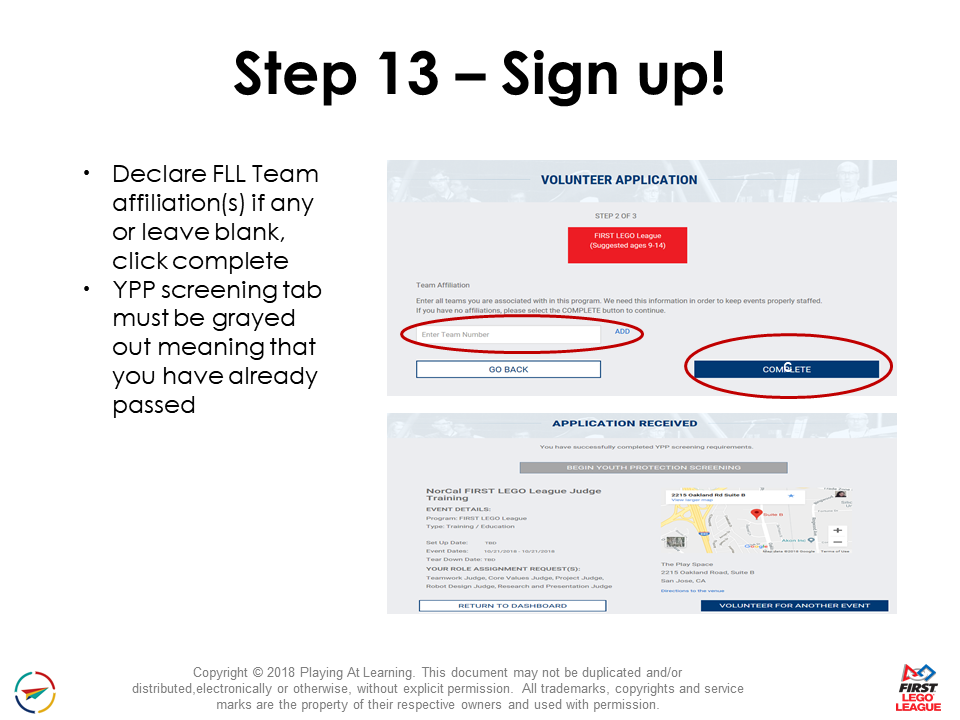
- You Apply for one or more Volunteer Roles. You will not receive an email confirming your application.
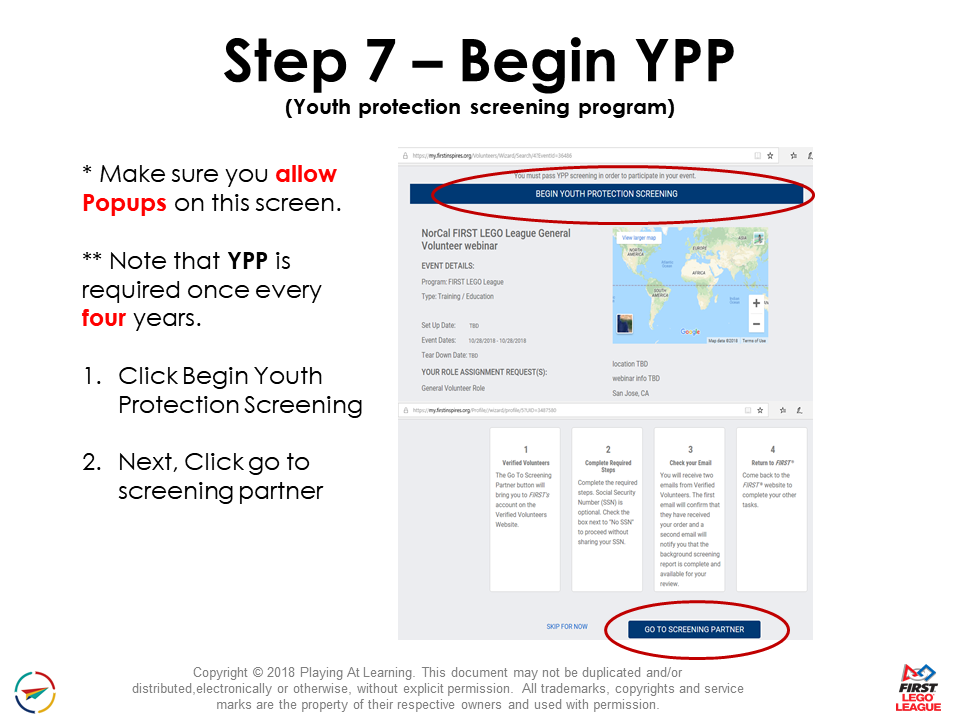
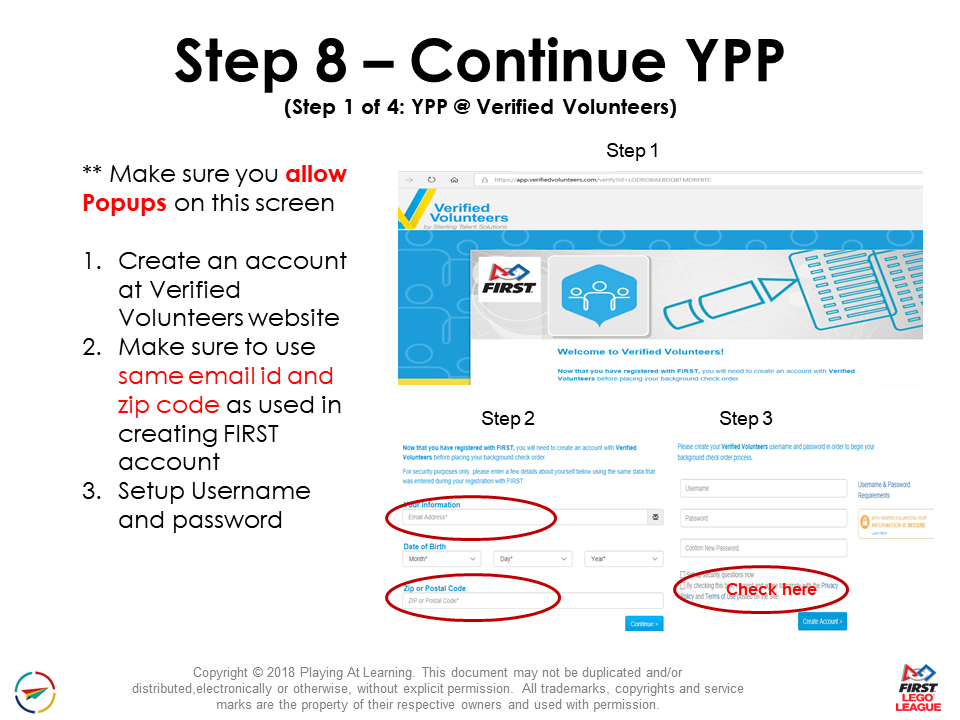
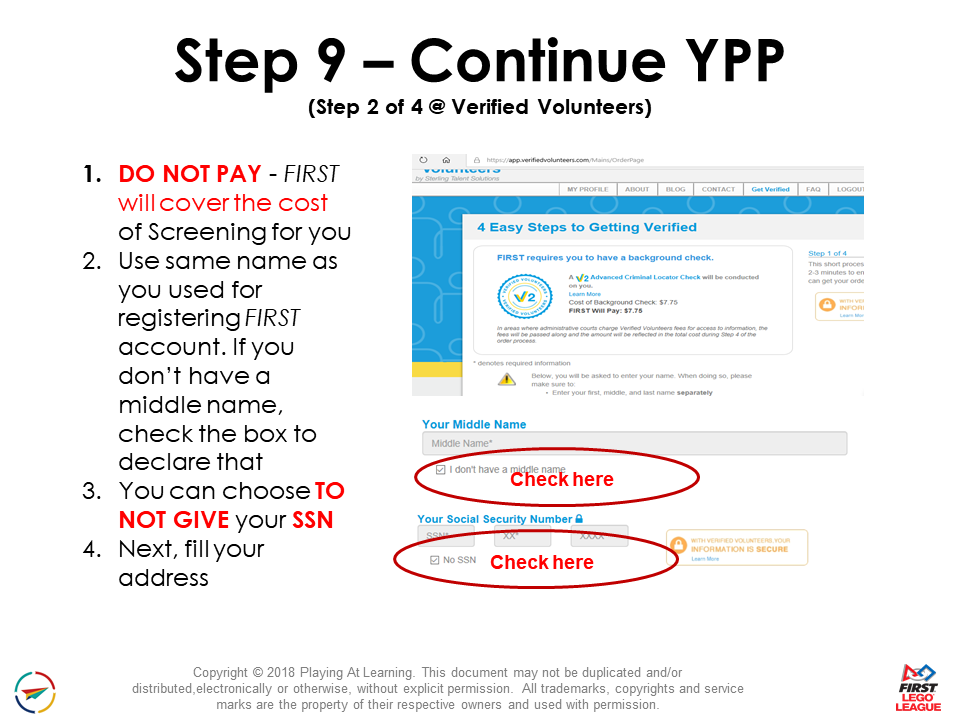
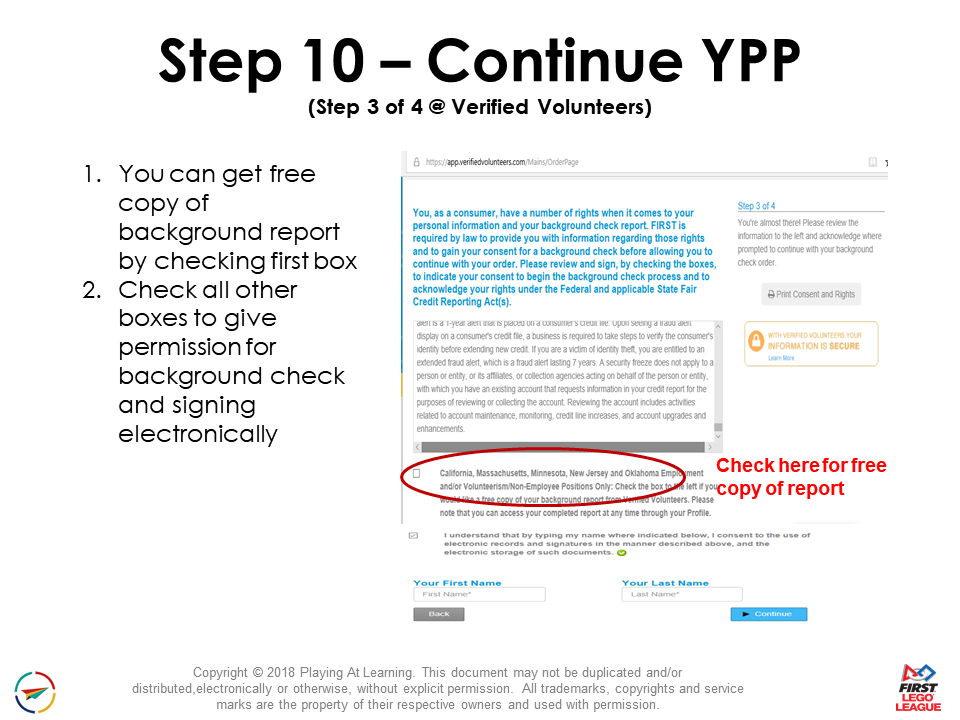
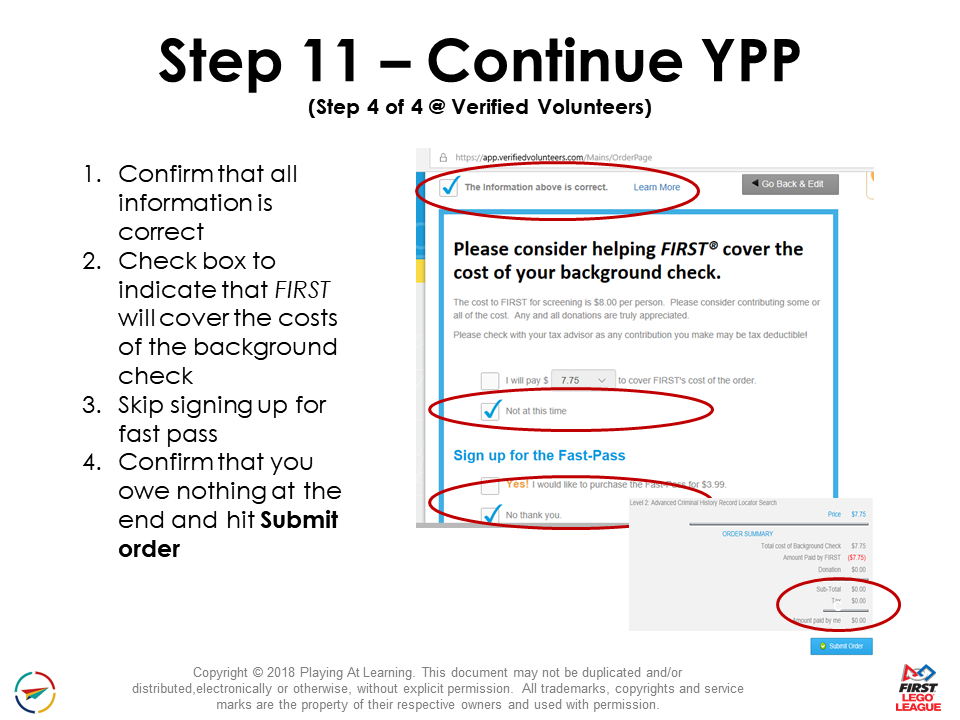
- If you are 18+ years old, you will be directed to complete a Background Screening through Verified Volunteers.
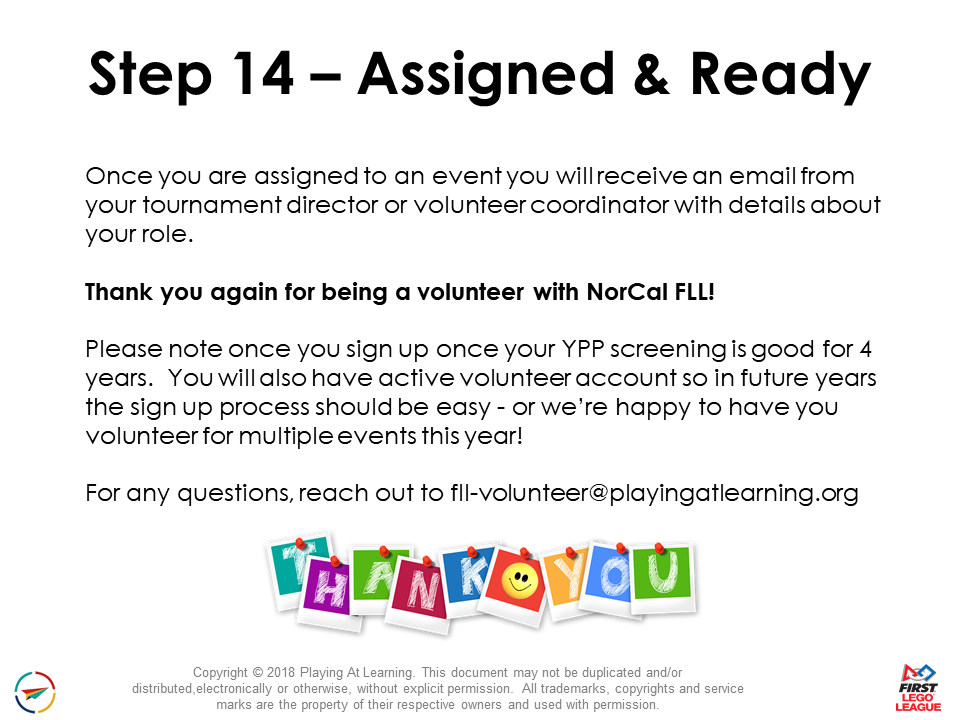
- Once the Background screening is complete (which can take 1 to 3 days), the Volunteer Coordinator will confirm you for the event by Assigning you to a specific role. Once assigned a role, you will then receive a system generated email with the details of that role.
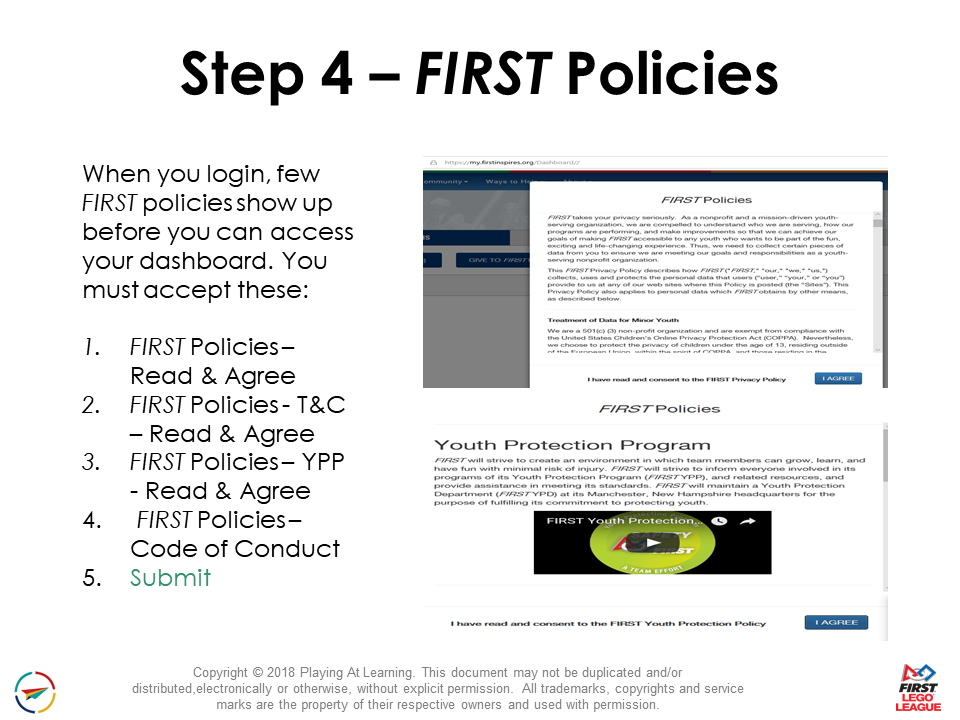
- Returning volunteers – you have to accept the YPP policy and accept the Consent form (electronically) each year
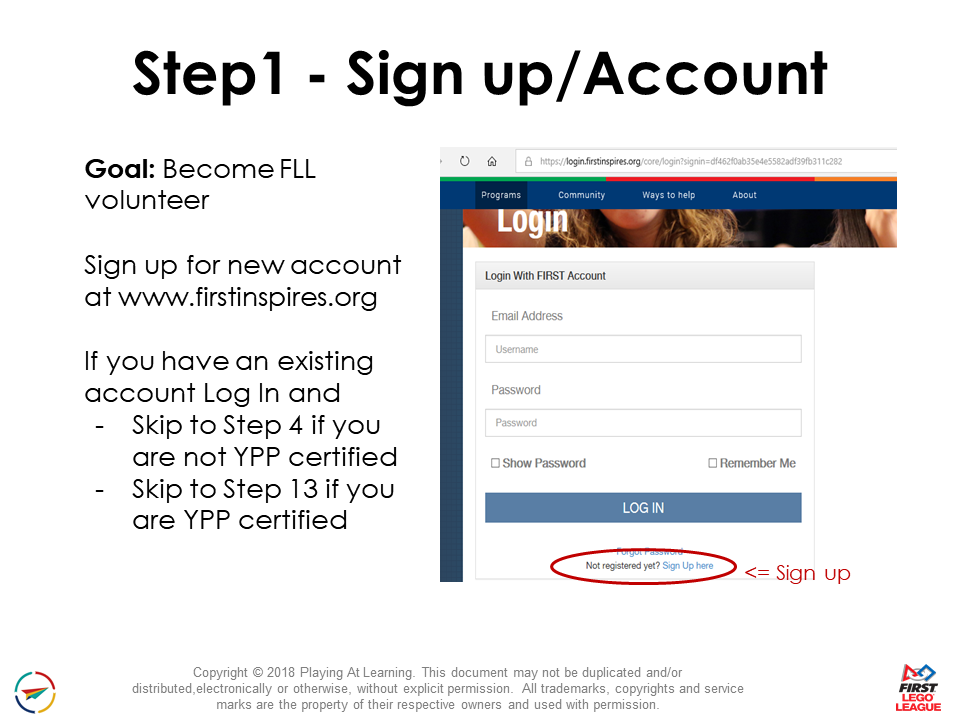
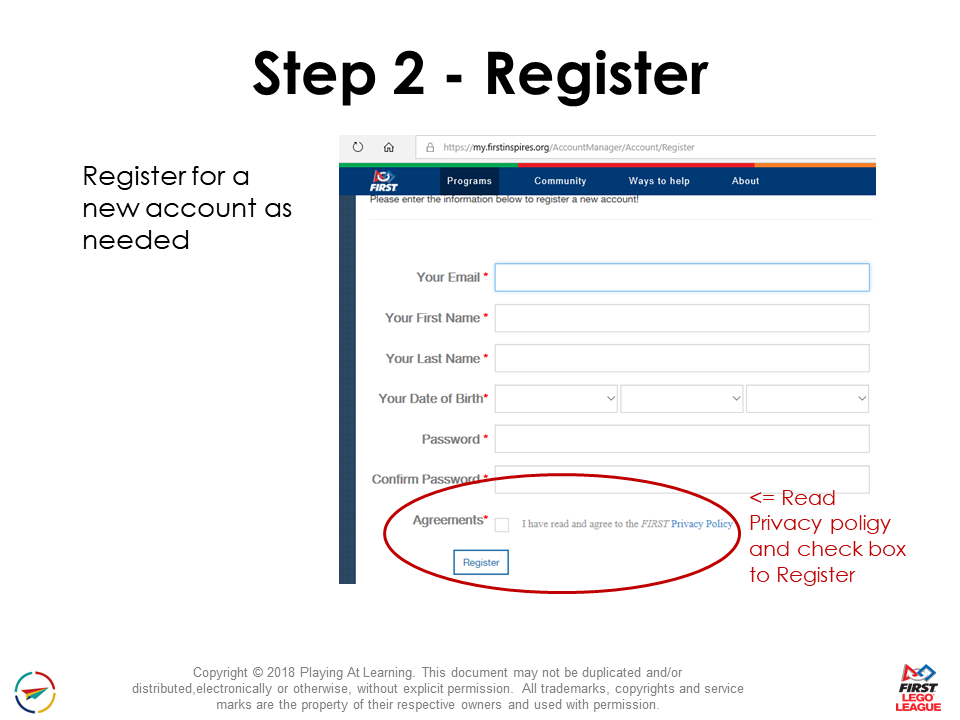
- New volunteers – you will have to create a login on 2 sites: firstinspires.org and verifiedvolunteers.com. All volunteers, 18 years or older, must pass a background screening. You can initiate this screening by applying for a specific volunteer role at a listed event and following the prompts to go to Verified Volunteers. Please see the step by step guide, with screenshots, below.
- You do not need to provide your Taxpayer ID (SSN) or pay anything
- Season Events: Qualifiers will be available to apply to volunteer no later than mid-October and Championships will all be available to sign up to be a volunteer by mid-December.
- Questions? Send email to fll-volunteer@playingatlearning.org and Nicki or Jill will try to help. Note that we can not help with any Verified Volunteer or background screening issues – only FIRST HQ can help with that and only directly with the volunteer themselves.